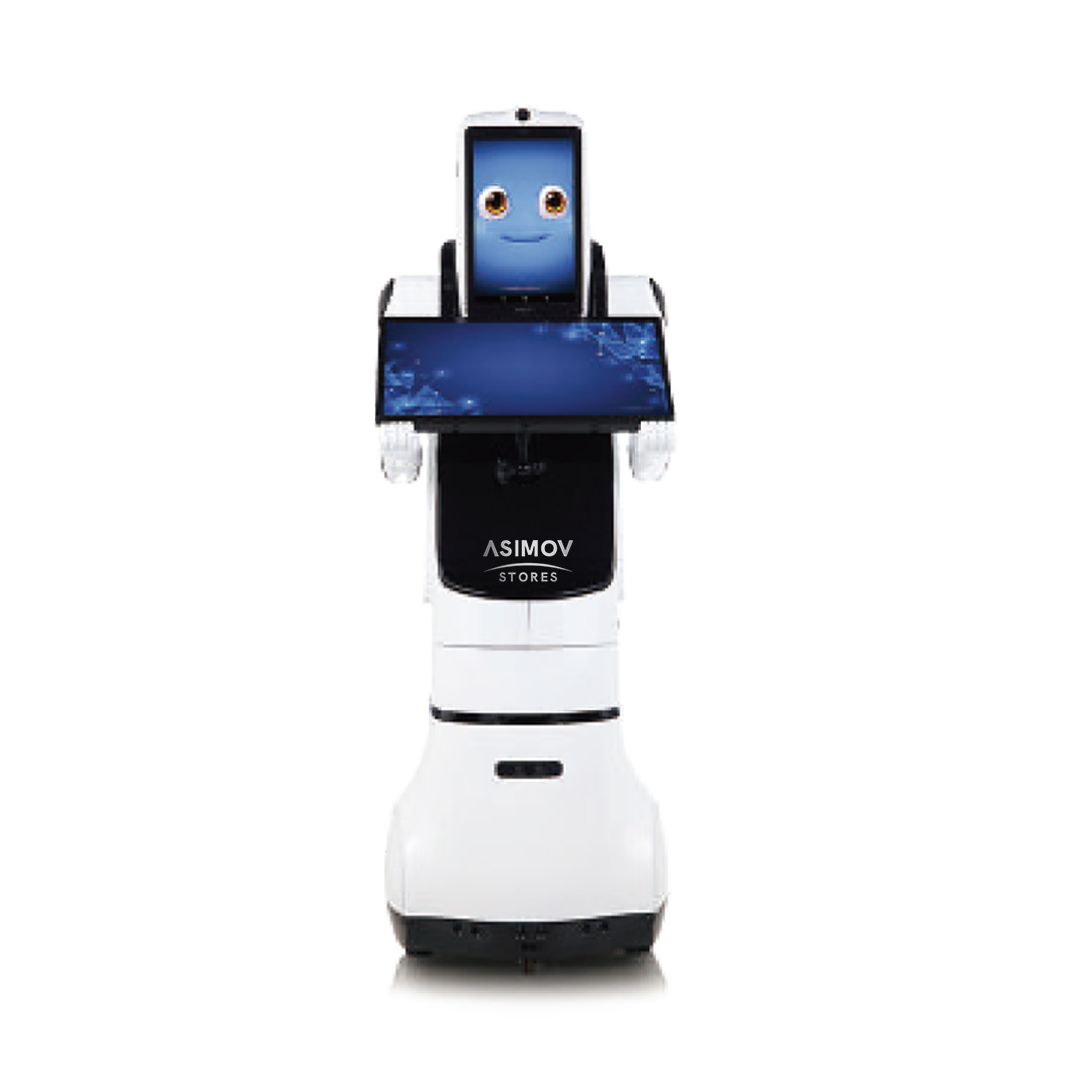
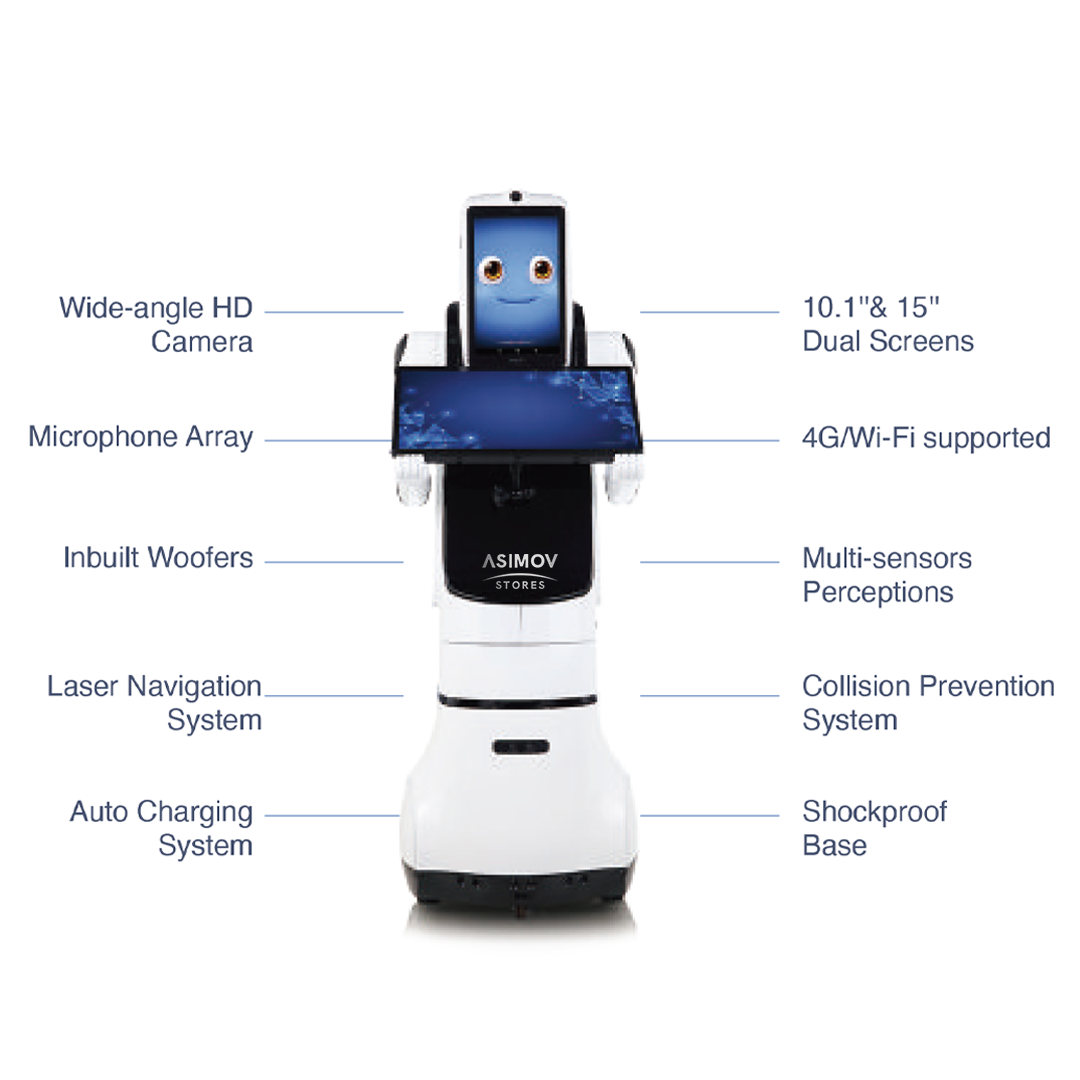
The PX2 Dual-Screen Intelligent Service Robot is a powerful solution designed for public spaces, healthcare, and service centers. Equipped with dual 10.1″ and 15″ displays, it offers smooth human–machine interaction, indoor navigation, facial recognition, and real-time customer support. Its user-friendly SDK enables customized application integration for any industry.
Specs
Model: PX2 Size: 480×400×1150mm Weight: 17KG Network: WiFi / 4G Screen Size (Head): 10.1″ Body Screen Size: 15″ Connectivity: WiFi & 4G Battery Capacity: 20,000mAh Charging Time: 9 hours Operation Time: 10 hours SDK: User-friendly and compatible with most tailored apps for multiple industries (hospital, public service, elderly-care, government, etc.) Navigation: One-button indoor map creation with precise positioning and route guidance Sensors: Human body sensor with 2m detection range (auto wake and greeting) Data System: Built-in databank capable of voice, photo, and video responses Facial Recognition: Supports identity verification, membership approval, and personalized service Interaction: Real-time and on-site voice communication system Display: Dual-screen system—one for OS control, another for custom applications working simultaneously
Please Note:Please Note:
Lead times for our products may vary based on availability, configuration, and current demand. To ensure accurate delivery timelines and stock status, we encourage all prospective customers to reach out to our team directly. You can request a quote through our website or email us at sales@robostore.com, and we’ll provide you with the most up-to-date information tailored to your order.
Discover real use cases of this product
Public Service & Information Hub
PX2 can serve as an intelligent public service kiosk, providing citizens with real-time information about government services or local programs. Its dual-screen setup allows operators to update data remotely while users interact naturally through touch and speech, ensuring smooth, accessible communication for all demographics.
Healthcare Assistance & Navigation
In hospitals and clinics, PX2 assists patients by guiding them to their appointment rooms, explaining procedures, and answering common questions using its built-in data bank. The robot’s human body sensor enables friendly greetings, making patient interaction more efficient and comforting.
Smart Reception & Customer Guidance
PX2 functions as a welcoming assistant in offices, malls, and hotels. Its facial recognition and indoor navigation lead guests to destinations accurately. With interactive voice and visual responses, it enhances user engagement and automates reception processes, reducing staff workload while improving the visitor experience.
Healthcare Assistance & Navigation
In hospitals and clinics, PX2 assists patients by guiding them to their appointment rooms, explaining procedures, and answering common questions using its built-in data bank. The robot’s human body sensor enables friendly greetings, making patient interaction more efficient and comforting.
Check the common questions of our clients
What makes the PX2 different from other service robots?
The PX2 features a dual-screen system, allowing separate interfaces for system control and customer interaction—ideal for multitasking in professional environments.
Can PX2 navigate indoors automatically?
Yes. PX2 builds an indoor map with one button and guides users precisely to their destinations.
Is the SDK easy to integrate with existing systems?
Absolutely. The built-in SDK supports most third-party and customized applications across industries like healthcare, government, and retail.
How does PX2 detect human presence?
It has a body sensor that detects people within a 2-meter range and greets them automatically.
What type of communication does PX2 support?
It supports real-time and on-site voice and video interaction between users and remote operators.
Can PX2 recognize faces and provide personalized service?
Yes, PX2 uses facial recognition to identify individuals and deliver tailored services like membership verification or customer data access.
How long can PX2 operate on a full charge?
PX2 operates continuously for up to 10 hours and fully recharges in 9 hours.
What environments is PX2 suitable for?
It’s ideal for hospitals, malls, government offices, airports, and retail stores—anywhere customer interaction or guidance is needed.
Support Zone
Manual
All the essential technical documentation to help you understand, assemble, and operate your robot step by step.



Valoraciones
No hay valoraciones aún.